
Exponential Decay (Edecay): Complete Guide for Algorithmic Trading
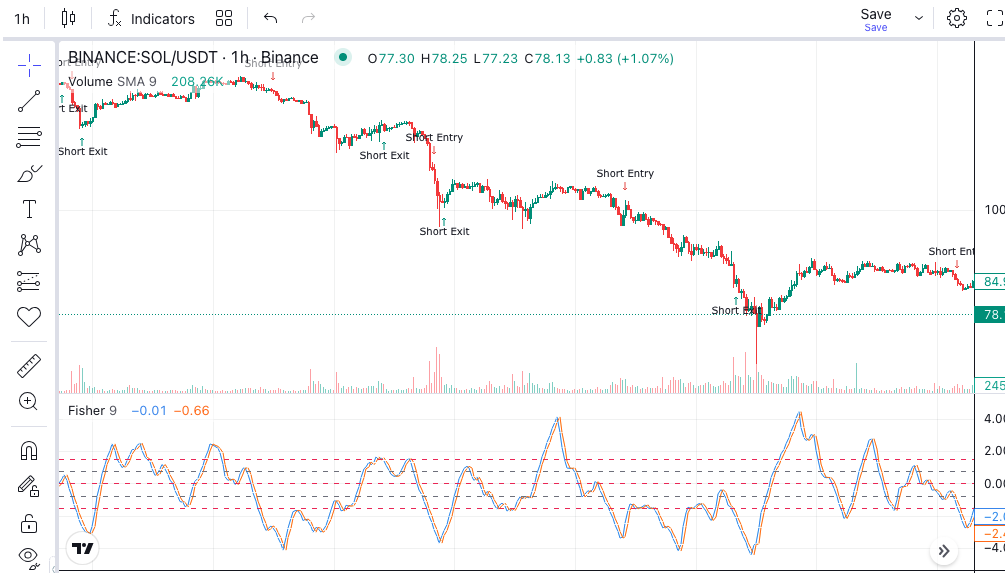
The Exponential Decay block (Edecay) is a signal utility in Arrow Algo that takes any input value and fades it toward zero at an exponentially decreasing rate with each new bar. Unlike traditional market indicators that read price data, Edecay manages how long a signal persists in your strategy logic — making it a powerful tool for controlling entry timing and preventing over-trading.
What Is the Exponential Decay Block?
Edecay is a signal processing block that reduces its output by a fixed percentage of its remaining value on every bar. When a trigger fires and passes a value into Edecay, the block outputs that value immediately — then multiplies it by a decay factor on each subsequent bar. The result is a signal that fades quickly at first, then more gradually, approaching zero over time.
This mirrors how momentum works in real markets. A strong catalyst creates an immediate effect that diminishes as time passes. Edecay lets you model that behaviour directly in your strategy logic without writing any calculations by hand. You set the rate; the block handles the rest.
How Does Exponential Decay Differ From Linear Decay?
Arrow Algo also includes a standard Decay block, which reduces its output by a fixed absolute amount each bar. Once enough bars have passed, linear decay reaches exactly zero and stops. Exponential decay works differently — it multiplies the remaining value by a fraction each bar. This means three things:
- Edecay falls faster early on — the first few bars after a trigger see the largest drops in value
- Edecay falls slower later — the signal lingers at a low level for longer than linear decay would
- Edecay never reaches exactly zero — it asymptotically approaches it, always retaining a tiny residual value
Use the standard Decay block when you need a clean cutoff after a fixed number of bars. Use Edecay when you want a gradually fading signal that stays active at a low level for an extended period.
How Do You Read Edecay Output in a Strategy?
Edecay outputs a single value on each bar. The interpretation is straightforward:
- Output close to 1 (or the original signal value): the trigger fired recently. The signal is still strong.
- Output approaching zero: the trigger fired a while ago. The signal has largely faded.
- Output at or near zero: no recent trigger, or the decay has progressed far enough to be negligible.
You can connect Edecay’s output to a condition block — for example, “only allow a new entry if Edecay output is below 0.1” — to prevent entering again too soon after a recent signal fires. This creates a built-in cooldown without any complex logic.
What Are the Best Ways to Use Edecay in Algo Strategies?
Signal persistence across bars: many indicator crossovers fire for a single bar only. If your execution logic needs a signal to remain active for several bars, feed the crossover output into Edecay. The strategy keeps the signal “alive” as it fades, giving your entry logic more time to act on the move.
Cooldown control: after a signal fires and a trade is entered, use an Edecay block to track how recently the entry happened. Set a condition that blocks new signals while the Edecay output is above a threshold — effectively creating a cooldown period that prevents the strategy from re-entering too quickly after a close.
Combining with momentum indicators: pair Edecay with a momentum signal such as RSI or MACD. When momentum triggers, the Edecay block carries the signal weight forward. If momentum renews before the decay reaches zero, the signal strengthens again. If it does not, the strategy becomes progressively more neutral — a natural and elegant way to track conviction.
What Mistakes Should You Avoid With the Edecay Block?
Setting the decay factor too close to 1: a factor of 0.99 means the signal drops by only 1% per bar. On a 1-hour chart, that signal would still be at over 60% of its original value after 50 bars — more than two days. The persistence is so long it becomes background noise in your logic rather than a useful timing tool.
Setting the decay factor too close to 0: a factor of 0.1 collapses the signal to 10% of its value after a single bar. The persistence disappears almost immediately and Edecay provides no meaningful benefit over a plain single-bar signal.
Feeding continuous price data into Edecay: the block needs a discrete trigger. Connecting a continuous series — like raw price or a moving average value — produces a signal that is always “on” at some level. Edecay works best when connected to discrete event outputs like crossovers, threshold breaches, or condition block results.
Ignoring timeframe context: a decay factor of 0.8 behaves very differently on a 1-minute chart versus a daily chart. Always calibrate your decay rate relative to the timeframe your strategy trades on and validate it through backtesting.
How to Build Edecay Strategies in Arrow Algo
In Arrow Algo’s visual block builder, the Edecay block sits in the utility and signal processing category. Building with it is a drag-and-drop process:
- Drag the Edecay block onto your canvas
- Connect your trigger signal — a crossover result, a condition output, or any discrete event — to the block input
- Set the decay factor in the block properties (values between 0 and 1; lower values mean faster fade)
- Connect the Edecay output to a condition block to control when downstream logic can fire
A typical setup connects a moving average crossover to Edecay, then uses a condition block to check whether the Edecay output exceeds a threshold before allowing an entry. This keeps the trade signal alive for several bars after the crossover, giving price action time to confirm the move. No formulas to write — just blocks connected on a canvas.
For a deeper look at related utility blocks, the Arrow Algo indicator block documentation covers the full library of signal processing tools available in the builder.
Key Takeaways
- Exponential Decay (Edecay) fades a signal at a percentage rate each bar — fast at first, then gradually
- Use it to extend a single-bar trigger across multiple bars without it remaining on indefinitely
- Use it to build cooldown logic that prevents strategies from re-entering too quickly after a trade
- The decay factor controls the fade speed — always calibrate to your specific timeframe via backtesting
- Edecay needs a discrete input (crossover, condition) to be useful; continuous price data is not the right input
- Compare with the standard Decay block when you need a clean cutoff instead of a gradual exponential fade
Disclaimer: This content is for educational purposes only and does not constitute financial advice. Trading involves significant risk and you should only trade with capital you can afford to lose. Past performance is not indicative of future results. Always conduct your own research before making any trading decisions.
Ready to build your own automated trading strategies without writing a single line of code? Start for free at Arrow Algo and join thousands of traders who’ve made the switch to systematic trading.