
MCP for Traders: Let AI Build Your Trading Strategy
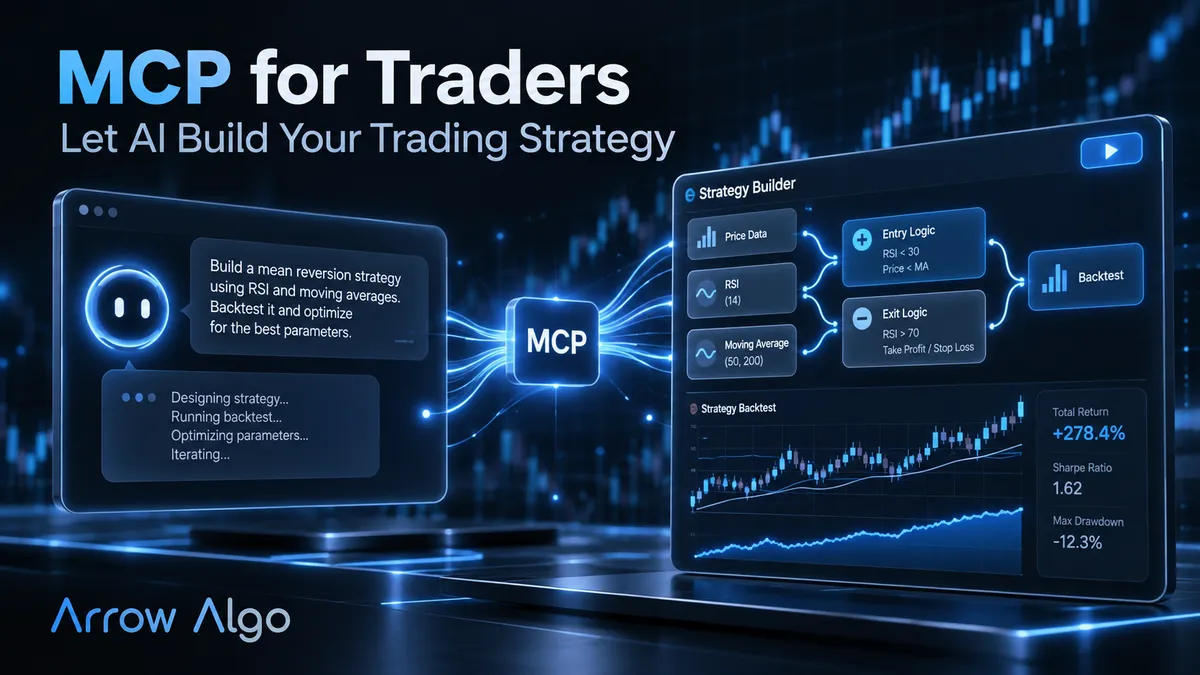
MCP for traders means one thing in practice: your AI assistant stops talking about trading and starts doing it. Instead of copying suggestions out of a chat window and rebuilding them by hand, the assistant connects directly to your strategy builder. It builds the strategy. It runs the backtest. It reads the results and proposes the next iteration.
That connection runs on the Model Context Protocol. Arrow Algo speaks it natively, which is why this topic belongs on a trading blog and not just a developer one.
What Is MCP?
The Model Context Protocol is an open standard that lets AI assistants connect to external tools and data. Anthropic released it in late 2024, and it has since been adopted across the major assistants — Claude, ChatGPT, Grok and Gemini all support it.
The common analogy is a universal adapter. Before MCP, every app needed a custom integration for every AI assistant. With MCP, a platform exposes its capabilities once. Any assistant that speaks the protocol can then use them.
For a strategy builder like Arrow Algo, those capabilities are concrete actions. Create a strategy. Modify its blocks. Run a backtest on real exchange data. Fetch the results. The assistant calls these like a user clicking through the interface — except it can do so hundreds of times in a session without getting bored.
Why Should Traders Care?
The gap between having a strategy idea and testing it properly has always been the bottleneck. Manual traders never test at all. Coders spend evenings writing scripts. Visual builders like Arrow Algo shrank the gap to minutes.
MCP shrinks it to a sentence. “Build me a strategy that buys when RSI crosses back above 30, but only above the 200 EMA, and backtest it on BTC over the last year.” The assistant builds the blocks, runs the test and reports back. You read the results and say “now add an ATR stop and try again.”
The loop matters more than the individual request. Strategy development is iteration: test, inspect, adjust, retest. When each cycle costs seconds instead of an evening, you explore far more of the idea space. Bad ideas die faster. Promising ones get refined further.
What Can an AI Assistant Do Through Arrow Algo’s MCP?
Arrow Algo’s MCP connection exposes the platform’s core workflow:
- Build strategies — the assistant assembles the same visual blocks you would drag onto the canvas, from indicators to entry and exit logic.
- Backtest on real data — tests run against live historical data from exchanges like Binance, Coinbase and HyperLiquid. No datasets to source or maintain.
- Iterate conversationally — describe a change in plain English and the assistant applies it to the block graph.
- Run strategies — once you are satisfied, the same connection can start a strategy running.
It works from wherever you already use your assistant: Claude on the web, Claude Code in a terminal, ChatGPT, Grok or Gemini. We compared this native approach with the TradingView MCP route in our Claude AI trading comparison — the short version is that an integration built for strategy execution beats one bolted onto a charting tool.
Where the AI Stops and You Start
An honest framing matters here. The assistant is a fast pair of hands, not an oracle.
AI models can hallucinate. Left unchecked, an assistant will happily describe an indicator that does not exist or claim a strategy “should perform well” with no evidence. The MCP setup constrains this in a useful way: everything the assistant builds becomes visible blocks you can inspect, and every performance claim has to survive a deterministic backtest on real data. The chat is creative. The backtest is not.
Your judgement still carries the load-bearing decisions. Whether the strategy’s logic makes sense. Whether the backtest sample is large enough. Whether the idea is overfitted to one lucky period. Whether to risk real capital at all. An assistant that can run fifty backtests an hour makes it easier to fool yourself with the fifty-first — the discipline around testing matters more with AI, not less.
How Do You Connect an Assistant?
Setup is deliberately simple. Arrow Algo provides step-by-step instructions for each assistant on arrowalgo.com — Claude web, Claude Code, ChatGPT, Grok and Gemini each have their own short guide. You add Arrow Algo as a connector in your assistant’s settings, authorise your account, and the assistant gains access to your workspace.
From there, the first request is the best test. Ask it to list your existing strategies, or to build something small and backtest it. You will see the blocks appear in your account, exactly as if you had built them yourself.
What Are the Key Takeaways?
- MCP is the open standard that lets AI assistants operate real tools — including your strategy builder.
- Arrow Algo speaks MCP natively; Claude, ChatGPT, Grok and Gemini can build, backtest and run strategies in it.
- The win is iteration speed: each test-adjust-retest cycle drops from an evening to a sentence.
- Every AI claim has to survive a deterministic backtest on real exchange data — that discipline is what keeps the loop honest.
- You still own strategy logic, sample-size judgement and the go-live decision.
Disclaimer: This content is for educational purposes only and does not constitute financial advice. Trading involves significant risk and you should only trade with capital you can afford to lose. Past performance is not indicative of future results. Always conduct your own research before making any trading decisions.
Ready to build your own automated trading strategies without writing a single line of code? Start for free at Arrow Algo and join thousands of traders who’ve made the switch to systematic trading.