
Can Claude Trade Crypto? Where Its Role Stops
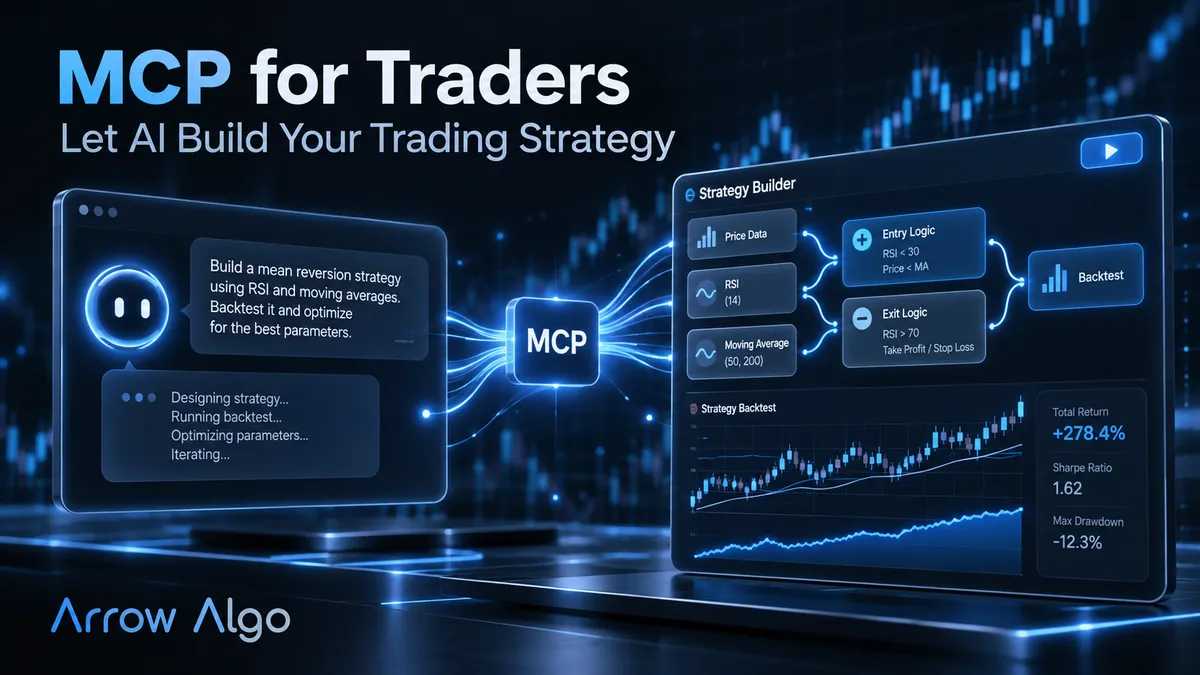
Can Claude trade crypto? Not by itself. Claude has no exchange account and no live market feed of its own, and it does not watch your positions overnight. It can still do useful work, because it can help you write rules, test them and read the results. The important question is where its job ends and something more dependable takes over.
We covered the same question for ChatGPT. This post focuses on what is specific to Claude: its two main working styles and the approvals that control them.
What Is Claude Actually Doing?
Claude is a large language model made by Anthropic. It reads text, reasons about it and writes a response. On its own, that is all it does.
For trading work, the capability comes from connections. The Model Context Protocol, or MCP, is an open standard that lets an assistant use tools in other software. Our MCP for traders guide explains how it works.
Once connected to strategy software, Claude can use the actions that software exposes. It still never touches your exchange directly.
Why the Distinction Matters for Your Money
A trading system has to do four things reliably. It must watch the market, apply fixed rules, get signals to an exchange and keep a record. A chat assistant is not designed for any of them.
The model can also give a different answer to the same question. That helps when you are brainstorming. It is a real problem when you need the same rule applied the same way on every candle.
So split the work:
- Claude handles the words. It turns ideas into rules and explains the results.
- A deterministic strategy handles the rules. The same inputs always give the same output.
- Your exchange handles the orders. It decides whether to accept and execute each one.
Our AI agent trading bot risks post covers what can go wrong when those roles get blurred.
Claude Desktop or Claude Code: What Changes?
Claude can reach the same tools through different apps. The difference is how much it does between your check-ins.
Claude Desktop and Claude.ai
This is the conversational route. Anthropic’s custom connector guide explains how to add a remote MCP server. Free plans are limited to one custom connector, and paid plans have broader options. It also advises reviewing tool approval requests carefully.
This route suits one question at a time. Describe a strategy, look at the build and ask about the result.
Claude Code
Claude Code is Anthropic’s agentic tool. It runs in a terminal, IDE, desktop app or browser, and it can connect to MCP servers too. No programming is needed to use it for strategy research, though the interface is more technical.
It suits longer jobs, such as testing several variants against one brief. We compare it with similar tools in our Claude Code vs Codex vs Grok Build post.
Approvals Are Your Main Control
Claude Code’s permission settings decide what it can do without asking. The default asks the first time a tool is used, and other modes allow more autonomy.
That convenience needs care around anything that affects real money. Let it run research tools freely if you wish. Keep a manual approval on anything that starts or stops a strategy.
What Can Claude Do Through Arrow Algo?
Connected to Arrow Algo, Claude can work on the research loop in plain English:
- Build. Turn a written strategy into visual blocks on the canvas.
- Backtest. Run the blocks on historical exchange data and read back the results.
- Iterate. Change one rule, then test again.
- Explain. Answer questions about the trades, such as why a losing month happened.
- Monitor. Compare a running strategy’s trade history with its backtest.
Claude can also start or stop a strategy through the connection, if you choose to allow it. Once started, the rules keep running after the chat ends. Each result comes from the backtest rather than from Claude’s opinion, so you can check it on the canvas.
What Claude Still Cannot Do
- It cannot predict prices. It can check what followed a setup in past data. That is a different and more useful question.
- It cannot guarantee a correct build. It can misread a brief or get a setting wrong. Check periods, thresholds and exits yourself.
- It cannot judge its own search fairly. A persuasive summary of the best of 50 variants is still the best of 50. Our deflated Sharpe ratio post explains why that matters.
- It does not remove responsibility. Actions taken in your account remain yours, even if an assistant started them.
Never paste exchange API keys into a chat. The exchange connection is set up once in your Arrow Algo account, with the permissions you choose. Claude connects to Arrow Algo, not to your exchange.
How to Apply Claude in Arrow Algo
Start with research only, and add autonomy slowly:
- Add the connector. Connect Arrow Algo to Claude, then ask it to list your strategies. That confirms the link works.
- Write a tight brief. State the market, timeframe, entry, exit and position size in one paragraph.
- Inspect the visual blocks. Open the canvas and check the build against your brief.
- Backtest with limits. Set a maximum number of variants up front, and keep a final period of data untouched.
- Paper trade first. Compare the results with the backtest before risking capital.
If you later choose to deploy, your rules send signals to your own exchange account, and the exchange decides whether to execute. The no-code visual builder keeps every rule visible, so you can always see what Claude built.
What Are the Key Takeaways?
- Can Claude trade crypto by itself? No. It has no exchange account, and it does not run your rules around the clock.
- Claude’s value is in writing, testing and explaining rules through MCP connections.
- Claude Desktop suits step-by-step conversations, while Claude Code suits longer research jobs.
- Permissions are your main control. Keep manual approval on anything that starts or stops a strategy.
- Check every build on the canvas, limit your variants and paper trade before deployment.
Disclaimer: This content is for educational purposes only and does not constitute financial advice. Trading involves significant risk and you should only trade with capital you can afford to lose. Past performance is not indicative of future results. Always conduct your own research before making any trading decisions.
Ready to build your own automated trading strategies without writing a single line of code? Start for free at Arrow Algo and join thousands of traders who've made the switch to systematic trading.