
How to Optimize a Trading Strategy With AI
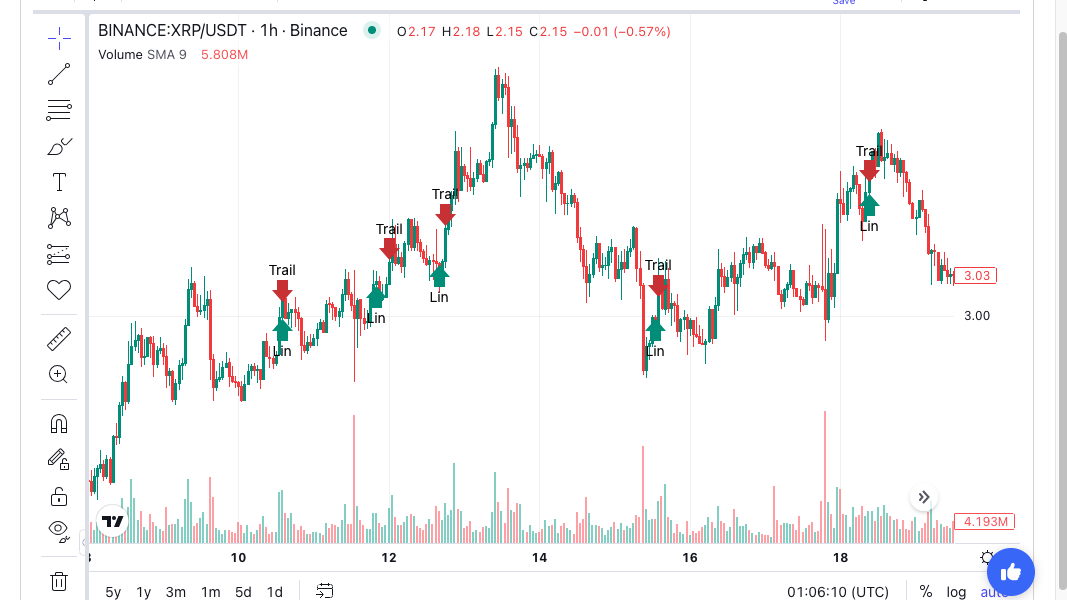
“Tighten the stop, re-run it, and tell me what changed.” That one sentence is how many traders now optimize a trading strategy with AI. The loop is fast and easy. It is also the quickest way to fool yourself that has ever existed.
This guide covers how to run that loop so each answer means something.
What Does It Mean to Optimize a Trading Strategy With AI?
Optimizing a trading strategy with AI is a process where you adjust a rule’s settings through conversation. You ask an AI assistant to change something, such as a stop distance or a lookback. It re-runs the backtest and reports the difference. You decide what to try next.
Traditional optimization runs a grid of settings in one batch. Our parameter optimisation guide covers that approach. The conversational version works one step at a time. You see every result before choosing the next test.
That sounds more careful than a grid. In practice, it often isn’t. A grid at least records how many settings it tried. A chat rarely does.
Why the Conversational Loop Needs Rules
Every re-run is a trial. Each trial is another chance for random luck to look like an edge.
Ten minutes of chat can easily produce 20 backtests. If you keep the best one, you have picked the luckiest of 20. That result will usually look worse on new data. This is overfitting: a rule that fits past noise instead of a lasting pattern.
The problem is not the AI. The problem is that the speed hides the count. Nobody feels like they ran 20 tests when they only typed a few sentences.
The Four-Step Iteration Loop
A disciplined loop has four steps. Repeat them in the same order every time.
- State the hypothesis. Say why the change should help before you see the result. “A wider stop should cut early exits in volatile weeks” is a hypothesis. “Try a wider stop” is not.
- Change one thing. Change one setting per run. If you change the stop and the lookback together, you cannot tell which one mattered.
- Re-run on the same data. Keep the market, timeframe, date range and fees fixed. Otherwise you are comparing different tests.
- Compare the same numbers. Ask for the same short list every time.
Which Numbers to Compare
Return alone is not enough. Ask the AI for these side by side, before and after:
- Trade count. A big gain from a much smaller trade count may be a few lucky trades.
- Max drawdown. This is the largest fall from a peak. A higher return with a deeper drawdown may not be an improvement.
- Profit factor. This is gross profit divided by gross loss. Above 1 means winners outweighed losers.
- Largest single trade. If one trade explains most of the gain, the change did not improve the rule.
If a run gets worse and you want to know why, our guide to AI backtest analysis shows which follow-up questions to ask.
How Many Changes Before the Results Stop Meaning Anything?
There is no fixed limit. But the bar rises with every attempt. Our post on the deflated Sharpe ratio shows how the best of many tries gets flattered.
Two habits keep this under control.
Keep a Trial Count
Ask the AI to keep a running log in the chat. Each entry needs the change, the reason and the four numbers. At the end, you know how many versions you tried. That number goes next to any result you share or act on.
Test the Neighbours
A good setting should have good neighbours. If a 14-candle lookback works, 10 and 20 should work reasonably well too. If only 14 works, you have probably found noise.
Our volume oscillator strategy test is an example. The volume filter beat the plain rule in 14 of 15 market and setting pairs. That is the pattern a real effect leaves.
Prompts That Keep the AI Honest
AI assistants tend to agree with you. If you ask “did that help?”, you may get a yes for a tiny, random gain. Phrase requests so the answer can go either way.
Useful prompts include:
- “Compare this run with the last one. Is the difference larger than one or two trades could explain?”
- “Show me the result at the two settings either side of this one.”
- “How many versions have we tested so far in this conversation?”
- “Which single trade contributed most to the change?”
Hold Back Untouched Data
Before you start, pick a recent stretch of data and leave it out. Do all your iteration on the older period. When you are done, run the final version once on the untouched period.
If it holds up, you have some evidence. If it falls apart, the tuning fitted noise. Do not go back and tweak it for the new period. That turns your test data into training data.
How to Apply This in Arrow Algo
Arrow Algo strategies are built from visual blocks, with no code. You can connect an AI assistant, such as Claude or ChatGPT, through the Arrow Algo connector. You can also use Artemis, the built-in assistant. The assistant can then edit the blocks, run backtests on the exchange’s own historical data and report the results.
A good session looks like this:
- Build or describe the base strategy and run one backtest. Note the four numbers.
- Set a date to hold back, such as the last six months.
- Ask for one change at a time, with a reason, on the older data only.
- After each run, check the visual block graph. Confirm the AI changed what you asked and nothing else.
- Stop when changes no longer move the numbers by more than a few trades.
- Run the final version once on the held-back period.
Our guide to AI backtesting covers how to write the first prompt.
Nothing goes live during any of this. If you later choose to deploy, your rules send signals to your own exchange account. The exchange decides whether to execute each order.
What Are the Key Takeaways?
- To optimize a trading strategy with AI, change one setting at a time and compare the same numbers each run.
- Every re-run is a trial. Fast chat loops hide how many trials you ran.
- State a reason before each change, and ask the AI to log every version.
- Trust a setting only if its neighbours work too.
- Hold back recent data and test the final version on it once.
- Check the block graph after each AI edit to confirm what actually changed.
Disclaimer: This content is for educational purposes only and does not constitute financial advice. Trading involves significant risk and you should only trade with capital you can afford to lose. Past performance is not indicative of future results. Always conduct your own research before making any trading decisions.
Ready to build your own automated trading strategies without writing a single line of code? Start for free at Arrow Algo and join thousands of traders who've made the switch to systematic trading.